
Instant calculations, voice dictation, and material tools.
A unit calculator that handles feet, inches and fractions as comfortably as it handles grams, gallons and degrees. Type it or say it, watch the whole expression build with the answer live beside it, and get the result in the units you actually wanted — with no ads and no internet connection.
Free to download · No ads · No account · Works with no signal
What it is
Made to get things done as simply as possible.
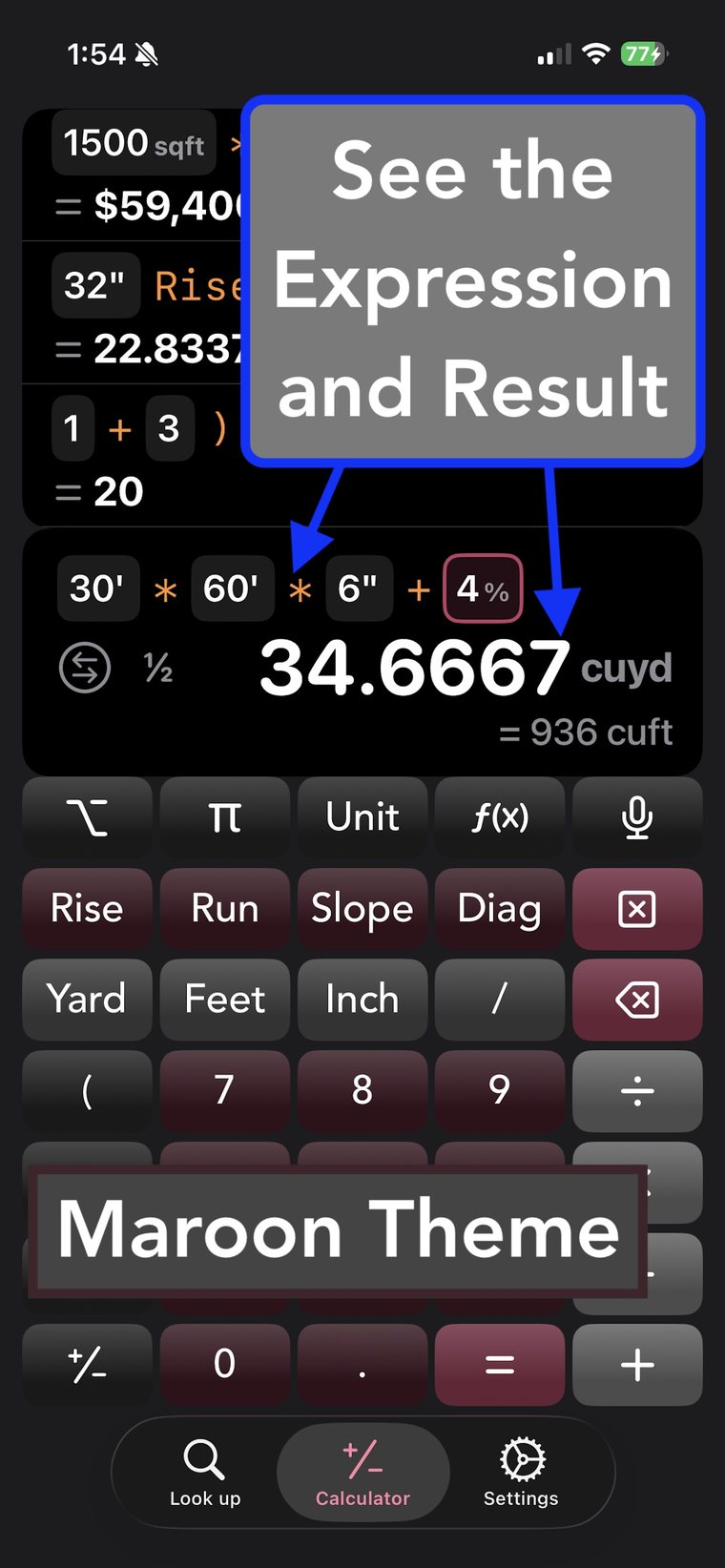
Most calculators make you convert everything to decimals first, then convert the answer back. SteelSolve doesn't. Enter 5' 4 3/8" plus 36 1/4", or 500 lbs at 25 $/lb, or today plus 7 weeks — and read the answer in the units you asked for, with every step still on screen and editable. Say it out loud instead when your hands are full. Keep the lot on a history tape you can categorize, reuse and export.
The calculator
Units that do the work for you
Real units, real arithmetic
ft × ft gives you sqft. Feet × pounds‑per‑foot gives you pounds. Pounds × dollars‑per‑pound gives you a price. The calculator tracks the units through the whole expression, so the answer comes out labelled — and one tap converts it to anything else.
- Feet, inch and fraction entry, alongside 28 other categories of units
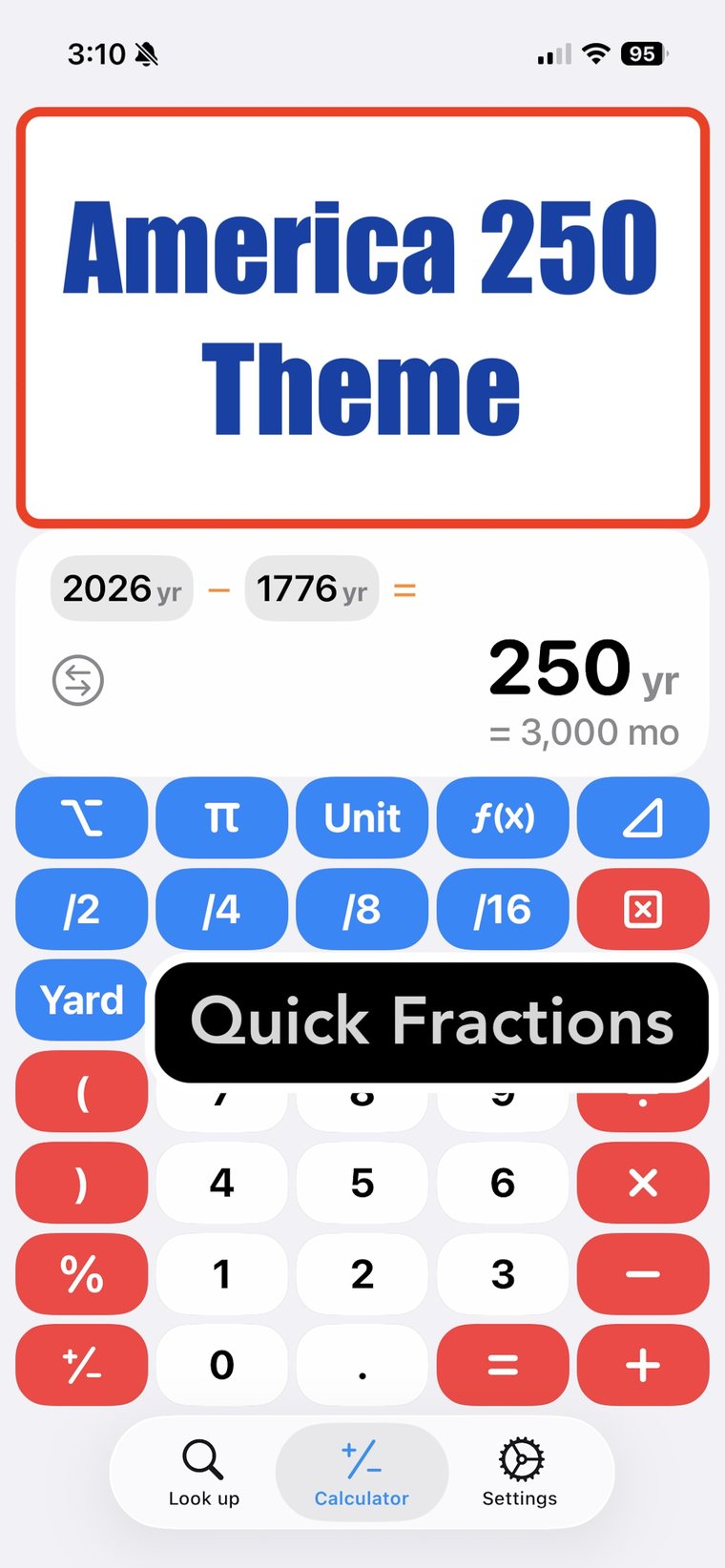
- Fractions in your results, not just decimals, with /2 /4 /8 /16 quick keys
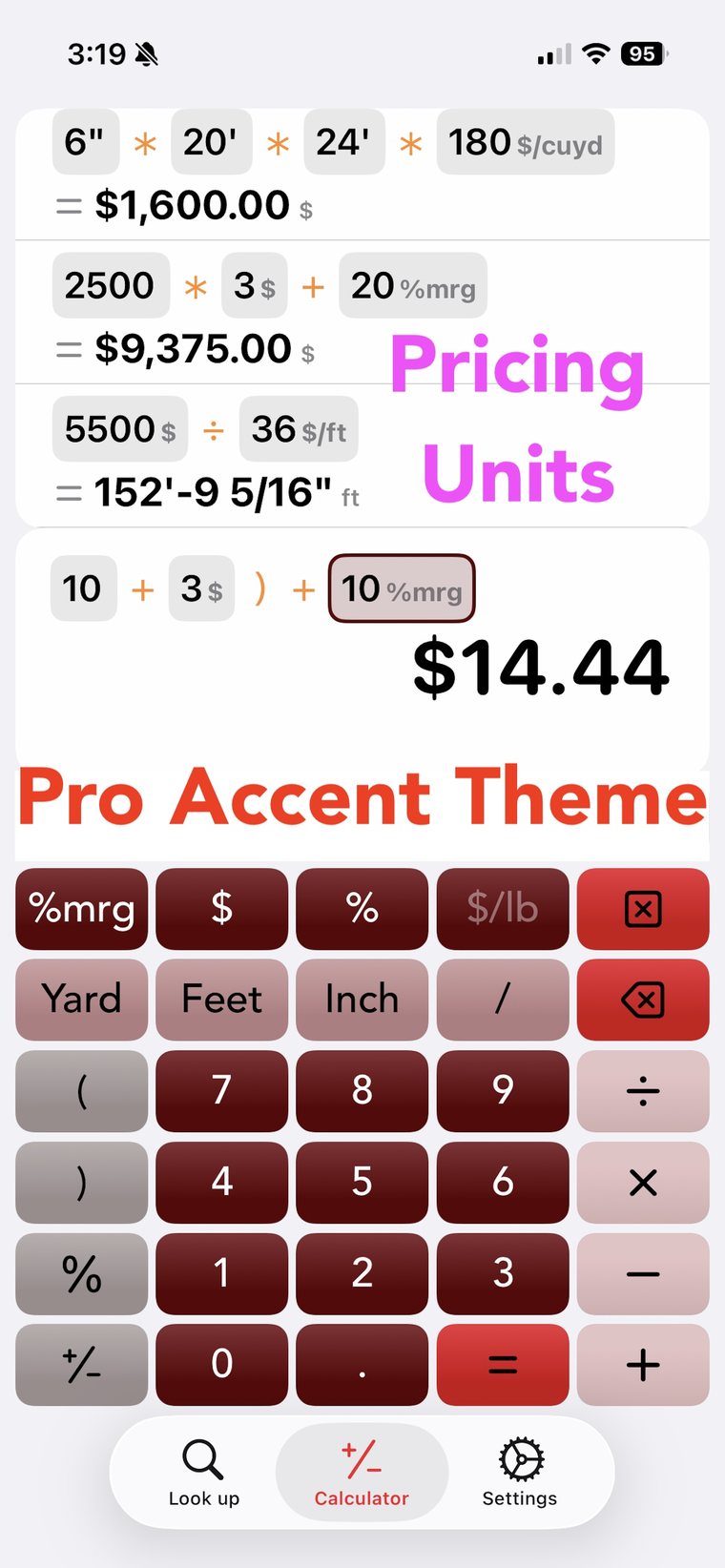
- Pricing units — 500 lbs × 25 $/lb, plus margin and weight-factor units
- Unit combinations such as deg‑min‑sec, lb‑oz, cup‑tbsp‑tsp and day‑hr‑min‑sec
- Quick conversion of any result without retyping the expression
See the whole expression — and fix it in place
Everything you've typed stays visible. Tap any number you already entered and change it; the answer re-solves instantly, before you ever press equals.
- Live results that update as you type
- Tap-to-edit any previously entered number
- Smart parentheses — improper parentheses are a convenience here, and the parenthesis key is intelligent enough to give you the one you meant:
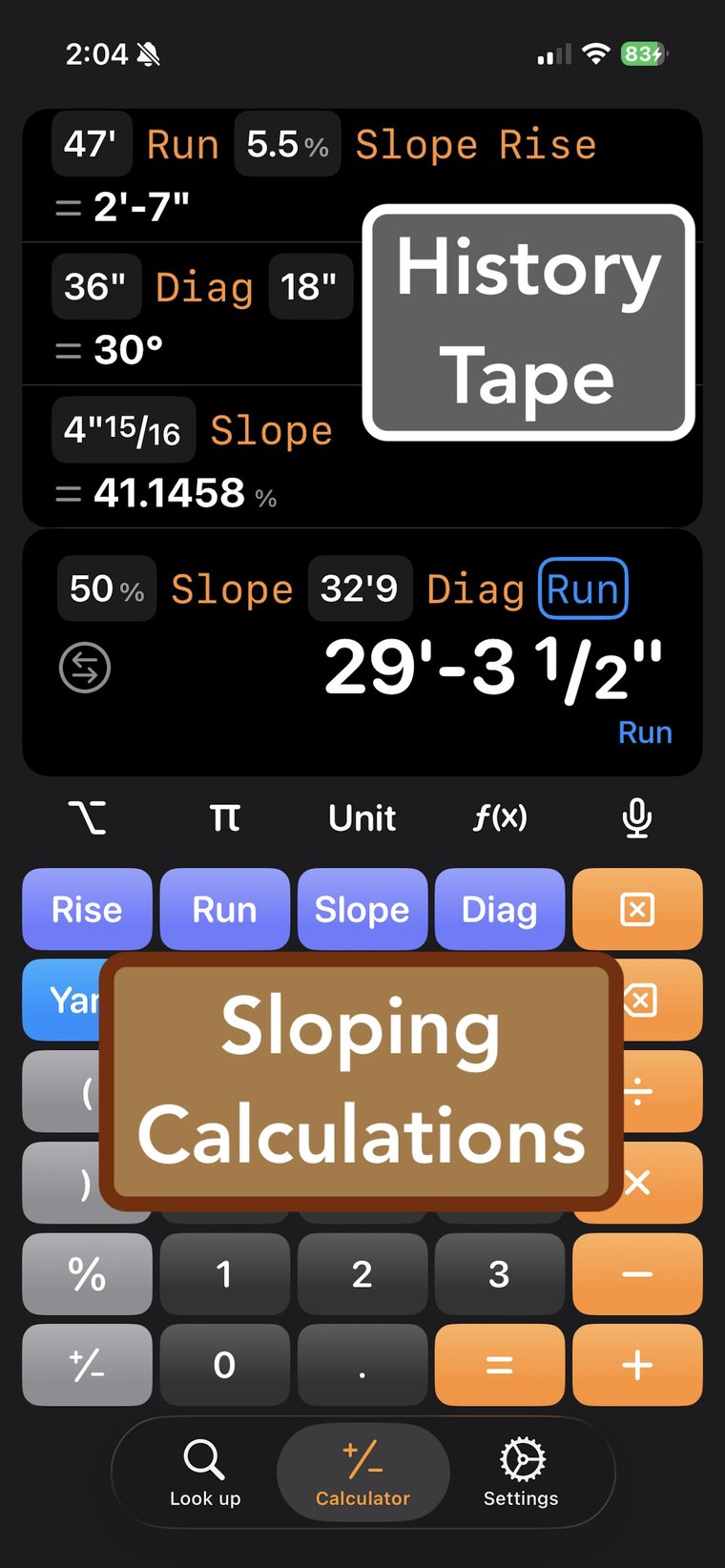
1 + 2 ) × 3 - Rise, Run, Slope and Diagonal keys built into the keypad
- Date and time math — "today + 7 weeks", working days or calendar days
A history tape you can actually use again
Every calculation stays on a tape, which quietly retires the old memory button. There’s no M+ to remember to press and no single slot to overwrite — every number you’ve already worked out is still sitting there, waiting to be picked back up.
- Continue any expression or reuse its result, with one tap
- Categorize and filter your tape by job or type
- Export to PDF or CSV, including what's on screen as a PNG
Dictation
Hands full? Tell it what to calculate.
Gloves on, tape in one hand, up a ladder. Tap the mic and say the measurement the way you'd say it to the person holding the other end of the tape — mixed numbers, feet-and-inches, units, conversions and all.
Over in Look up, the same plain speech finds a shape instead — say "HSS 6 by 6 by quarter" and it goes straight to the profile.
Specialized calculators
Enter what you know. See what it looks like.
Most calculators hand you one number at a time. SteelSolve lets you put in what you already know and then shows you the result with drawings and diagrams, so you can check the whole thing at a glance instead of trusting a number in isolation. Export any of them to PDF or PNG.
Triangles & angles
- Right Triangle Calculator
- Oblique Triangle Calculator
- Arc Segment Calculator
- Compound Miter, with a visual of the cut
- Compound Angle, likewise
Layout & framing
- Spacing Calculator with running dimensions
- Railing / picket spacing
- Stair Stringer Calculator with layout drawing
- Rake Wall Calculator with stud lengths
Engineering
- Steel and Wood beam deflection
- Weld area
- Steel grating load tables
- Graphing calculator
- Excel-style formula solver
Steel & wood
A shape database, a cut list, and a nester
Every profile, drawn to scale
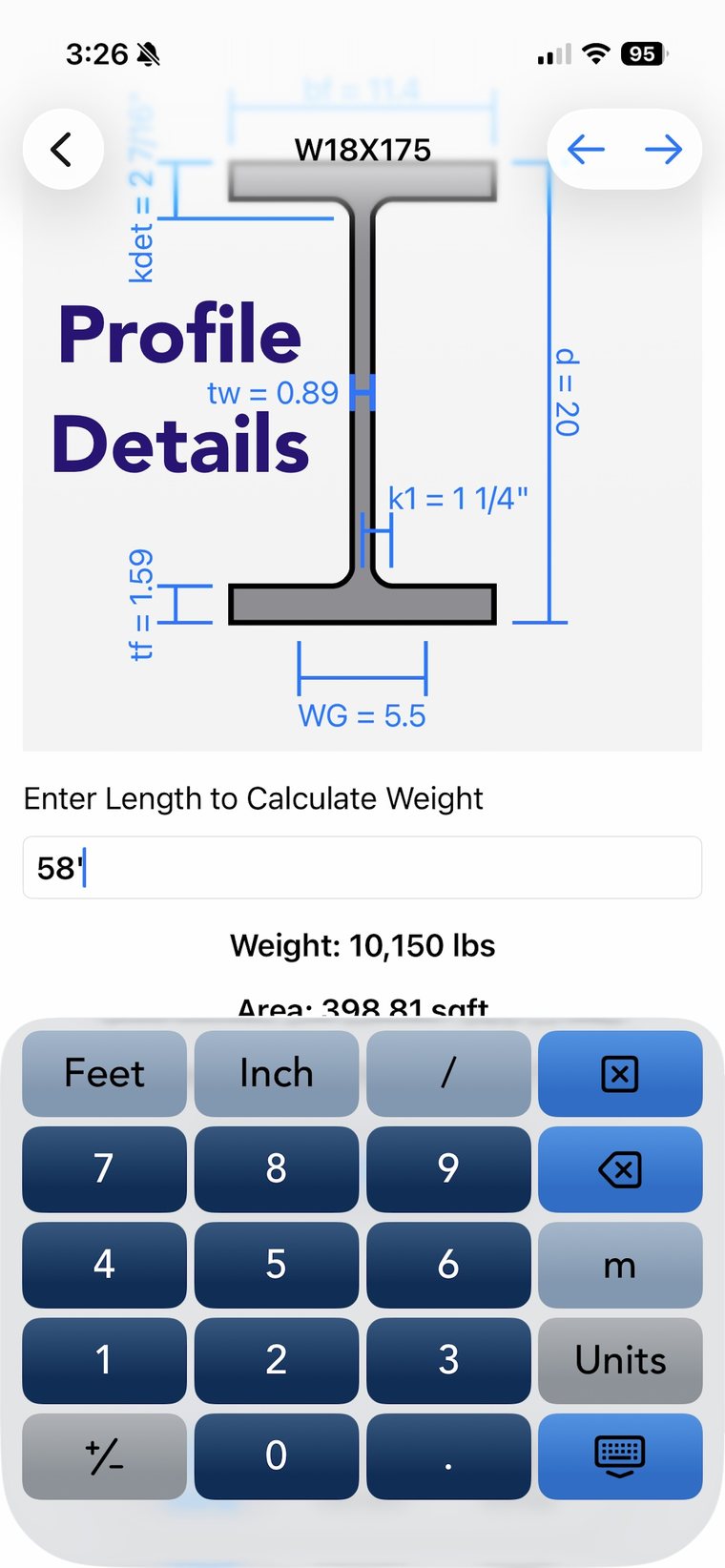
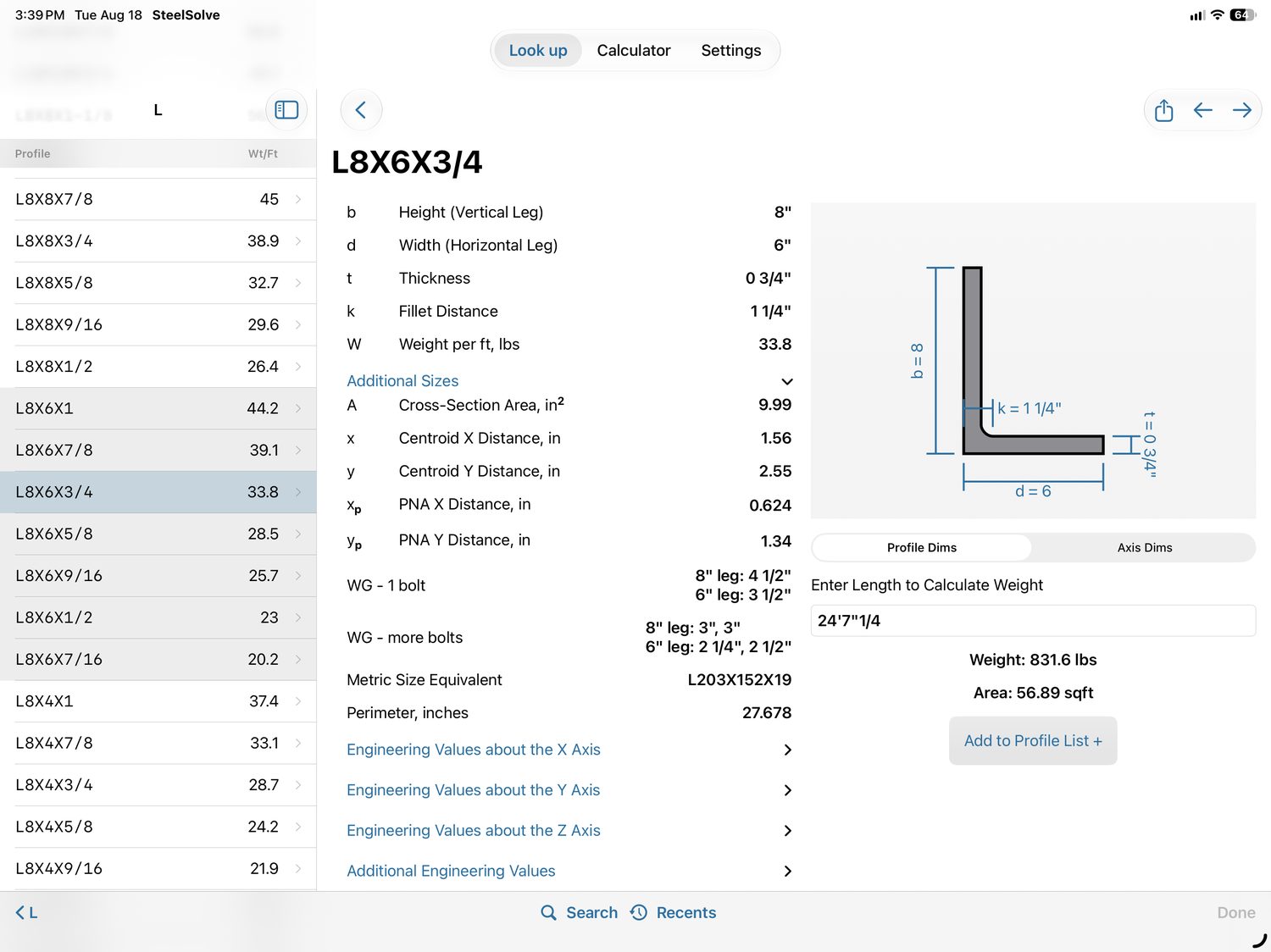
Beams, angles, HSS, channels, pipe, plate, bar stock and dimensional lumber — with the full engineering values and a drawing that matches the real proportions. Type a length on any shape page and get the weight or the board feet immediately.
- Filter by dimension with Pipe Search and WF Search when you know the size but not the name
- Find it by voice — "HSS 6 by 6 by quarter"
- Customizable Home screen so your regular shapes are one tap away
- Grating tables for load, span and width
Cut lists, and a nester that reads them
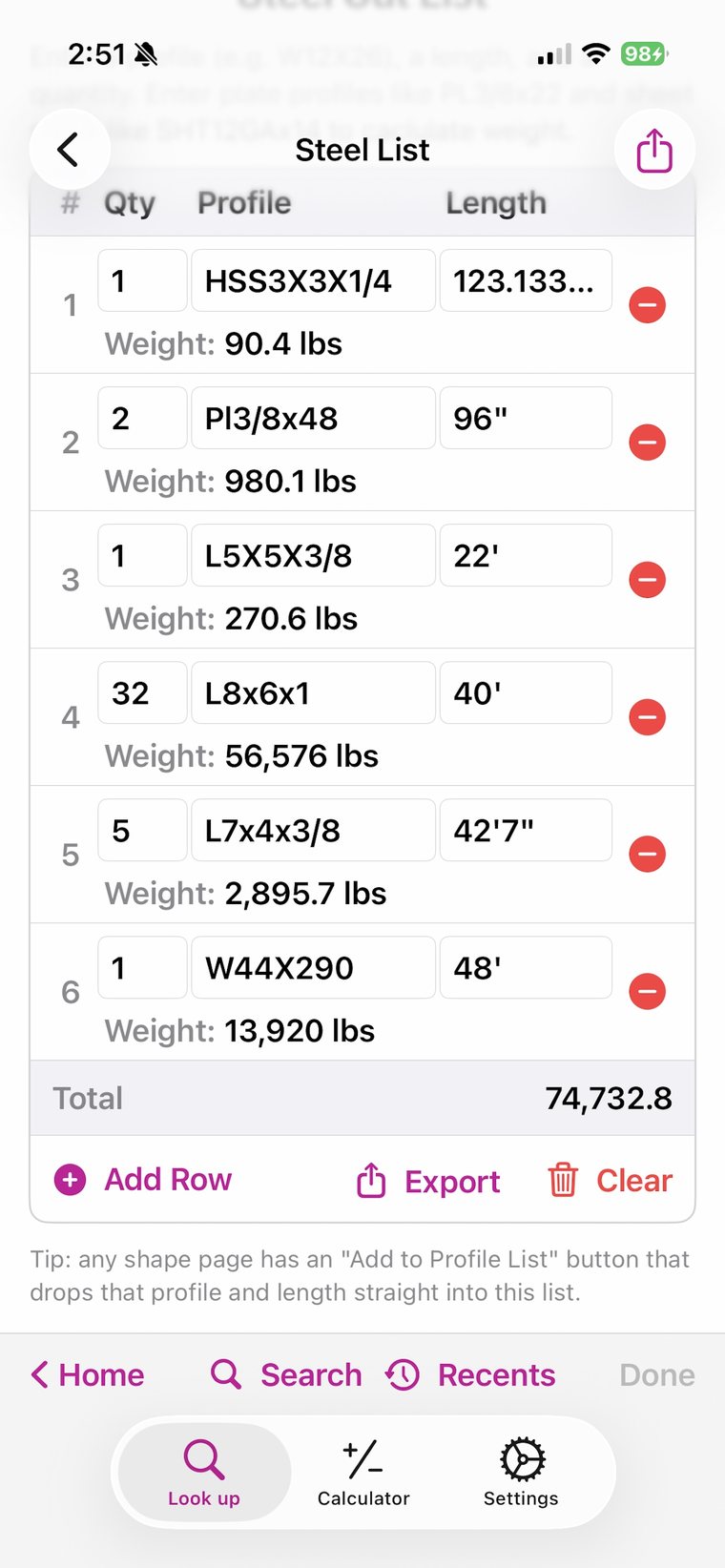
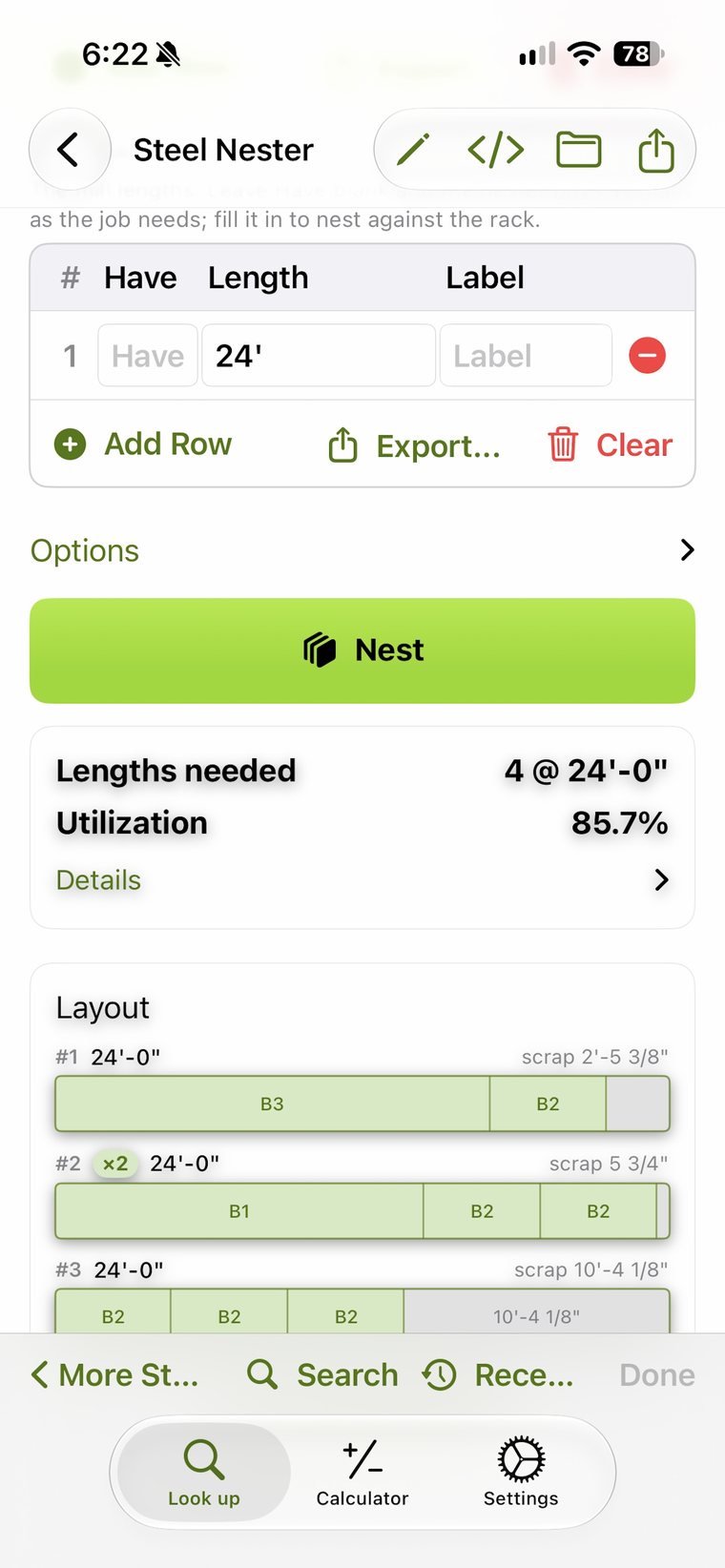
Build a Steel List or Wood List as you go — any shape page has a button that drops the profile and length straight onto it, and the weights total as you add rows. Hand that list to the Material Nester along with the stock lengths on your rack, and it gives you back a cutting layout that uses them properly: how many lengths to order, what the utilization works out to, and exactly where the drop falls on every stick.
- Steel List & Wood List with running weights and totals
- Plate and sheet entries like PL3/4×22 and SHT12GAx14
- Optimized layouts drawn bar by bar, with the scrap called out
- Nest against your rack — tell it what you have, or leave it blank and let it choose
- Send cuts straight over from a material list or a calculator page
- Save the job and export to PDF or CSV
Room to work on a tablet
On iPad and Android tablets the Look up section splits in two. The list stays on the left while whatever you picked fills the right — a shape family beside the full profile, or the list of calculators beside the one you're working in.
Screenshots
Have a look around
Tap any image to see it full size.
The Custom version
Everything above is free. The Custom version is how you support us — and how you geek out with your own content and tailor it to your work. Pay once, no subscription.
Make the keypad yours
Build your keypad from a catalog of available buttons, and switch on the Pro Accent Theme for a beautifully colored keypad.
Your own units & constants
Add custom units — with intelligent suggestions for composite ones — plus constants like a material density, and custom functions for the expressions you repeat.
Edit the database
Add, hide or CSV-import Look up items, change how pages are laid out, and write your own calculator pages.
Share what you build
Export your customizations and hand them to your crew — they choose which parts to import.
Capabilities
The complete list
Units & entry
- Feet, inch and fraction input
- 28 categories of units
- Full unit arithmetic — ft × ft = sqft
- Quick conversion of any result
- Fractions shown in results
- Quick fraction entry keys
- Pricing units — 500 lbs × 25 $/lb
- Weight-factor and margin units
- Unit combinations (deg-min-sec, lb-oz, cup-tbsp-tsp, day-hr-min-sec)
- Metric and imperial side by side
The expression
- Whole expression visible at once
- Tap any entered number to edit it
- Live answer before you press equals
- Smart, non-strict parentheses
- Smart Bracket key and group subtotals
- Rise, Run, Slope and Diagonal keys
- Constants, including π, typed naturally
- Hardware keyboard support
- Large gloves-friendly keypad
History & export
- History tape of every calculation
- Continue an expression or reuse a result
- Categorize and filter the tape
- Export history to PDF or CSV
- Export what's on screen to PDF or PNG
Dictation
- Mixed numbers and fractions by voice
- Feet-and-inch measurements
- Units, conversions and percentages
- Rise / run / slope phrasing
- Spoken questions — averages, sums, differences
- Date and working-day questions
- Currency and pricing phrases
- Shape lookup by voice
Specialized calculators
- Right Triangle
- Oblique Triangle
- Arc Segment
- Compound Miter (with visual)
- Compound Angle (with visual)
- Spacing Calculator with running dimensions
- Railing / picket spacing
- Stair Stringer with layout drawing
- Rake Wall with stud lengths
- Date Difference (working or calendar)
- Date Add or Subtract
- Graphing calculator
- Excel-style formula solver
- Steel and Wood beam deflection
- Weld area
Steel & wood
- Steel and wood shapes database
- Accurate to-scale shape drawings
- Full engineering values per profile
- Weight or board-feet from a length
- Steel List and Wood List
- Plate and sheet-metal entries
- Material Nesters with optimized layouts
- Pipe Search and WF Search by dimension
- Small shapes and bar stock
- Steel grating load tables and calculators
- Customizable Home screen
Customization (paid)
- One-time purchase, no subscription
- Pro Accent Theme
- Keypad built from a button catalog
- Custom constants
- Custom units with composite suggestions
- Custom functions
- Edit, add and hide Look up items
- CSV import into the database
- Write your own Look up pages
- Export and share customizations
The basics
- Free to download
- No ads, ever
- No account required
- No internet connection needed
- Nothing about your calculations leaves the device
- iPhone, iPad and Android, phone and tablet
- Light and dark, with a set of themes
- Guided tour of the interface built in
Questions
Good to know
Is it really free?
Yes. The calculator, the specialized calculators, the shape database, the lists and the nesters are all free, with no ads and no account. There is one optional in-app purchase — a one-time fee for the Custom version, which unlocks the customization and content editing tools.
Does it need an internet connection?
No. The app works entirely offline, which is the point — the places you need it most are rarely the places with a signal. Nothing about your calculations is sent anywhere.
Which devices does it run on?
iPhone and iPad running iOS 17 or later, and Android phones and tablets. Tablets get a two-pane Look up layout and a split view.
Can I get my numbers out of it?
Yes — history, cut lists and nesting layouts export to PDF or CSV, and any screen you're looking at can be exported as a PDF or PNG.
Can I add shapes or sizes that aren't in it?
With the Custom version, yes. You can add and hide items, import them from a CSV, and even write your own Look up pages and calculators — then export the whole customization and share it with the rest of your crew.
How do I report a bug or ask for a feature?
Email SteelSolve@icloud.com, or use Settings → Contact us in the app, where you can choose to include log data. See the support page.
Get the app
Put it on your phone before Monday.
Free, no ads, no account, and it works with no signal.